How to recover your Nusuk account
If you cannot get into the Nusuk account that holds your Umrah booking — because the email on it is not yours, because you have lost the password, or because an agency created it for you — Nusuk has a recovery path that identifies you by passport and visa number rather than by email. It takes nine steps and about two minutes.
When you need this
The common case is not a forgotten password. It is a pilgrim whose Nusuk account was created for them — by an agency, a group organiser or a relative — against an email address they do not control. The booking is real and it is theirs, but the login is not.
Recovery is the supported way out of that. It re-points an existing Nusuk account at a new email and password, identifying the account by the passport and visa number it was registered against. The booking on the account is not affected.
You do not need the old email address, and you do not need whoever created the account to do anything.
What you need before you start
Your passport number, exactly as it appears on the passport used for the trip.
Your Umrah visa number.
An email address you control, and a password you have not used on the account before.
That is all. If the passport or visa number does not match what the account was registered with, recovery will not find the account — this is the single most common reason it fails, and it is almost always a transposed digit rather than a real mismatch.
The nine steps
Open the Nusuk app.
#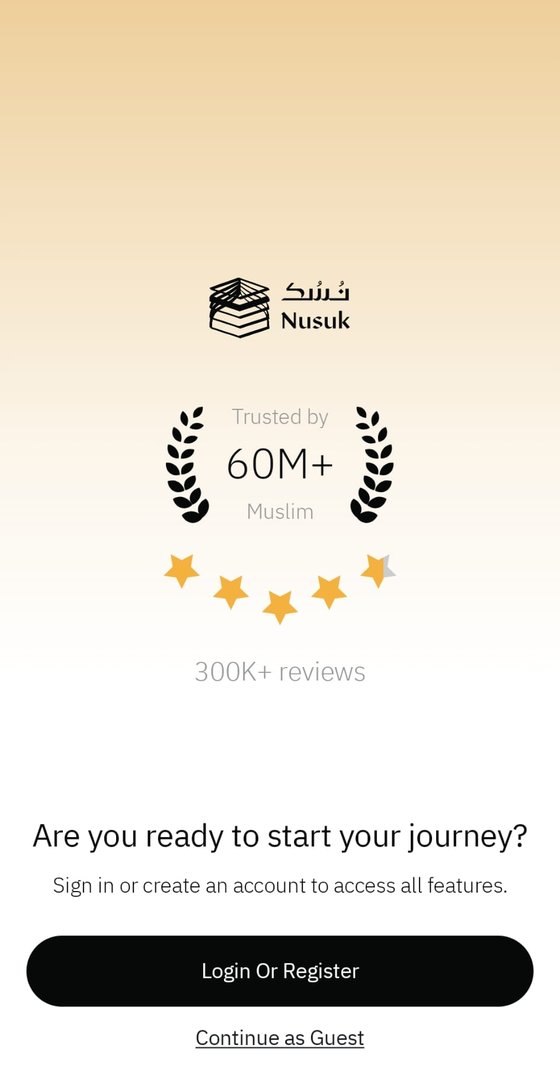
Tap Login or Register.
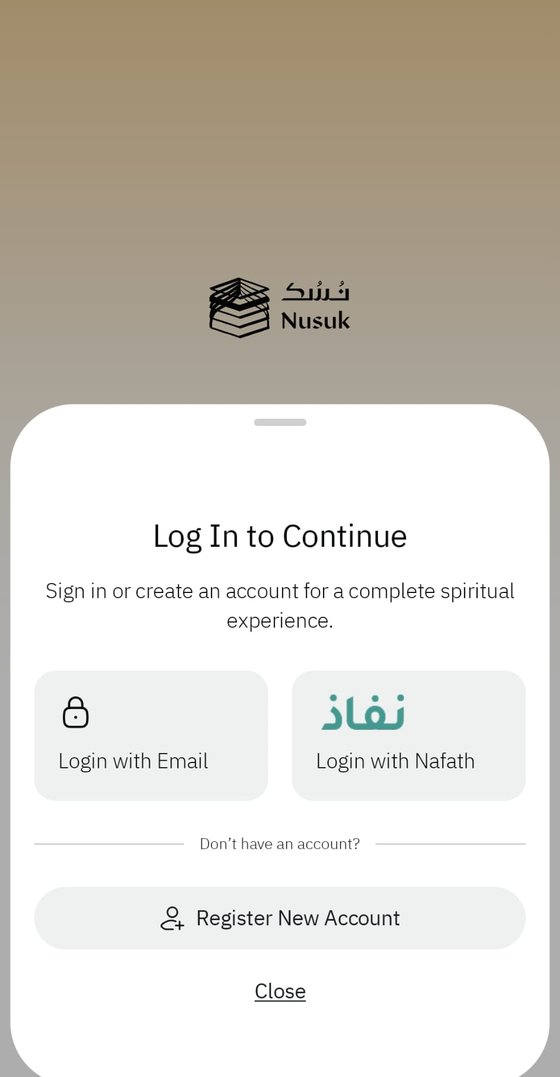
#Tap Login with Email.
#
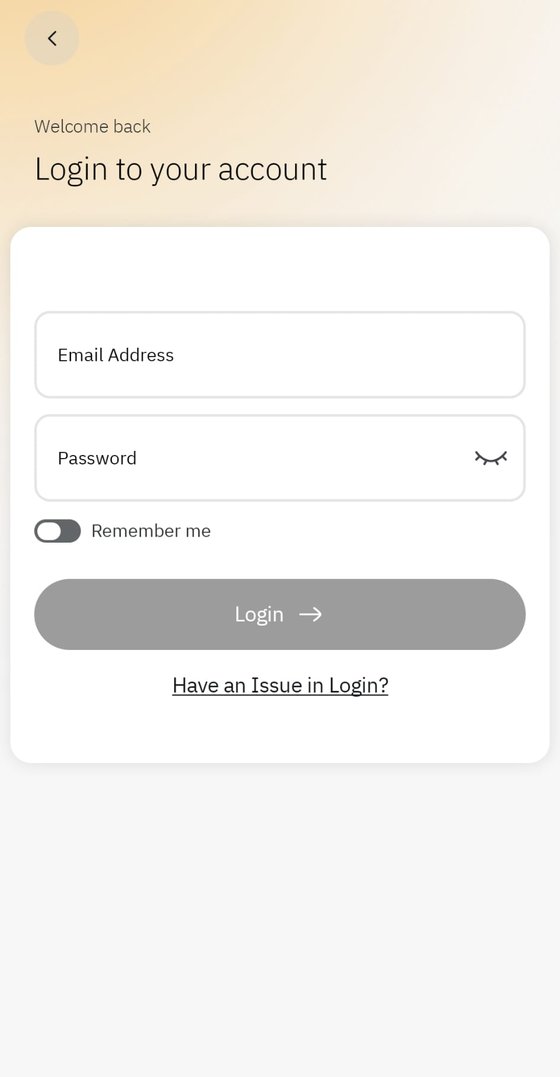
Tap “Have an Issue in Login?”.
#
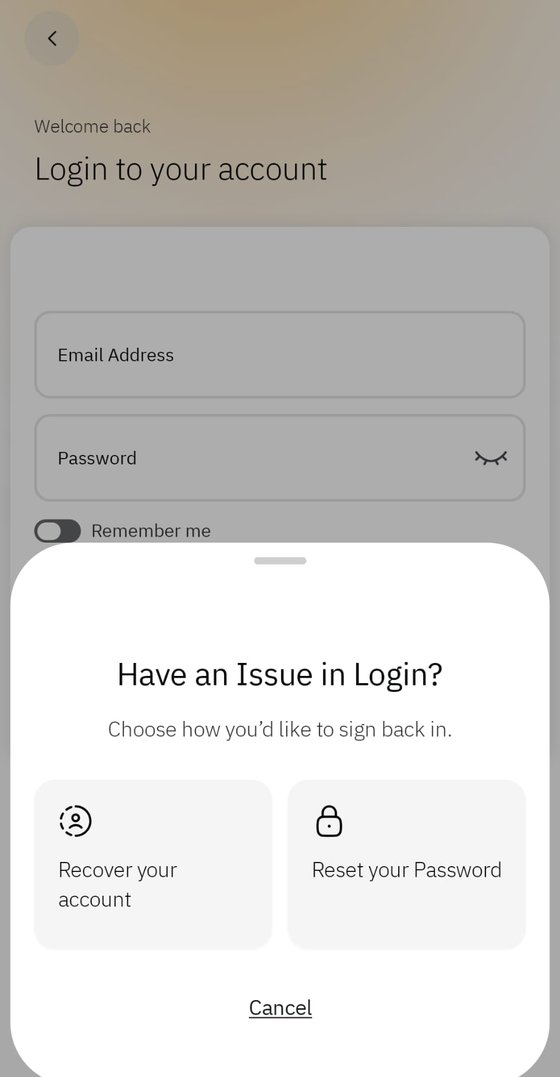
Choose “Recover your account”.
#
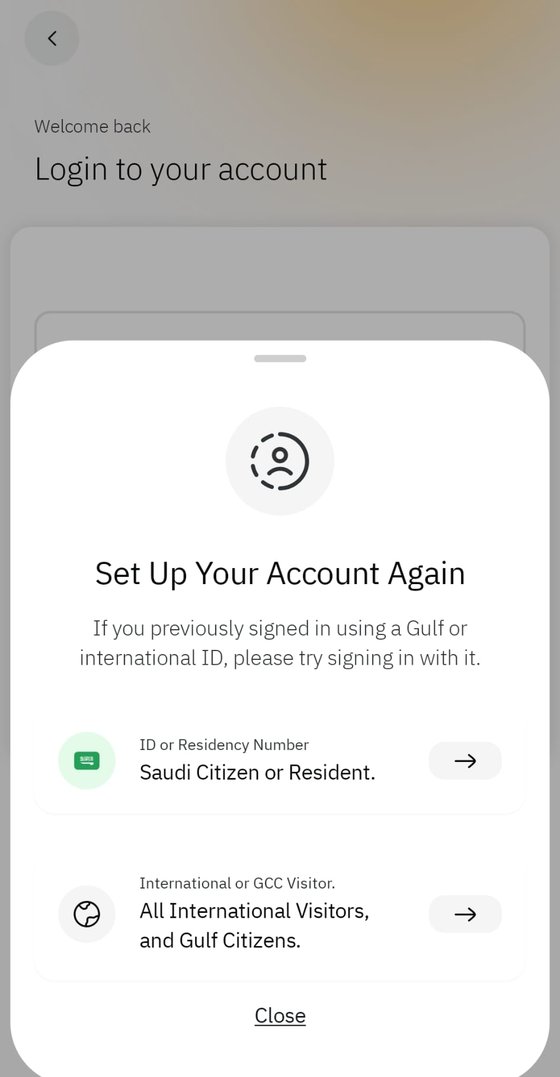
Pick “All International Visitors”.
#
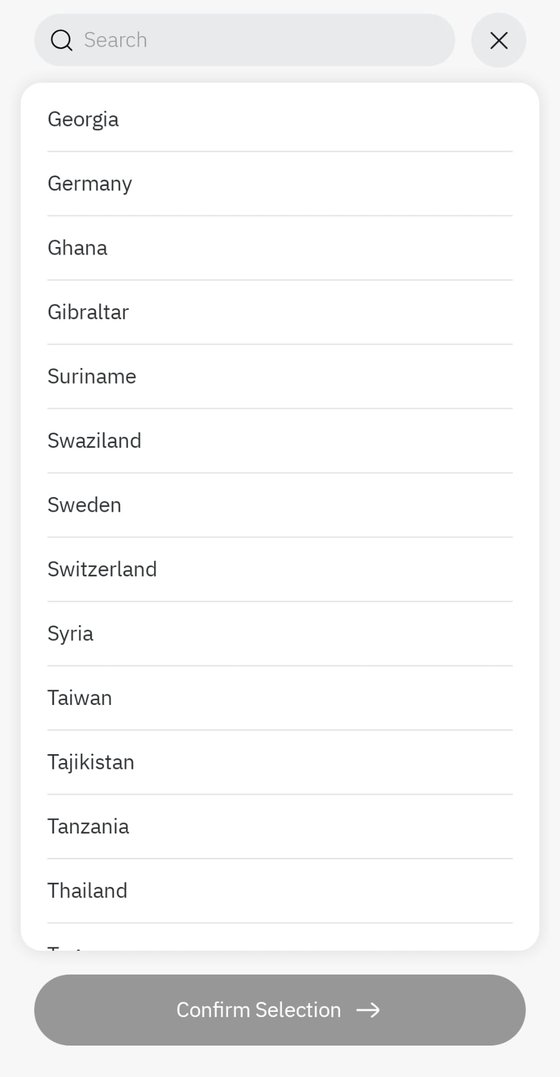
Choose your country.
#
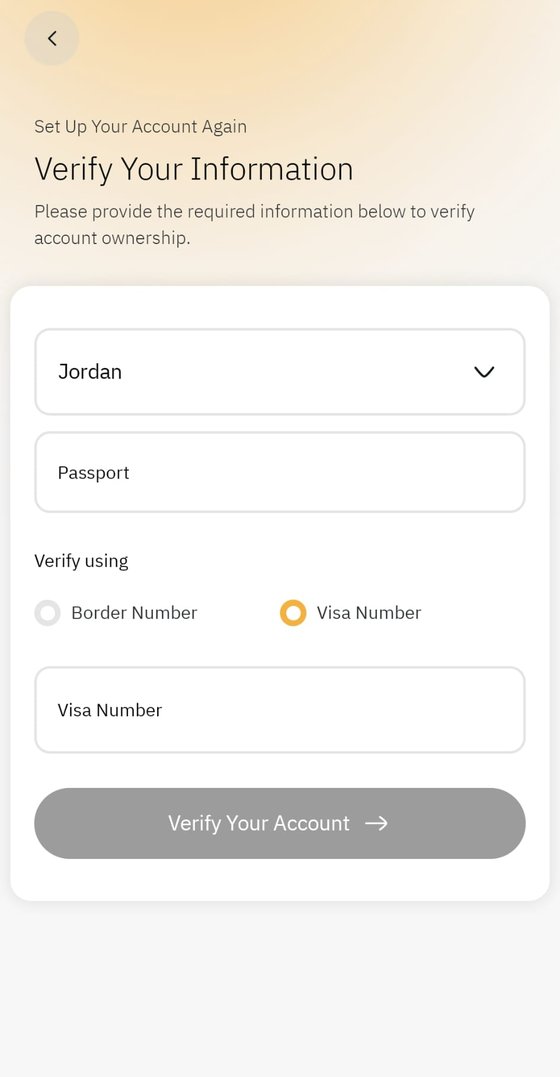
Enter your passport and visa number.
#
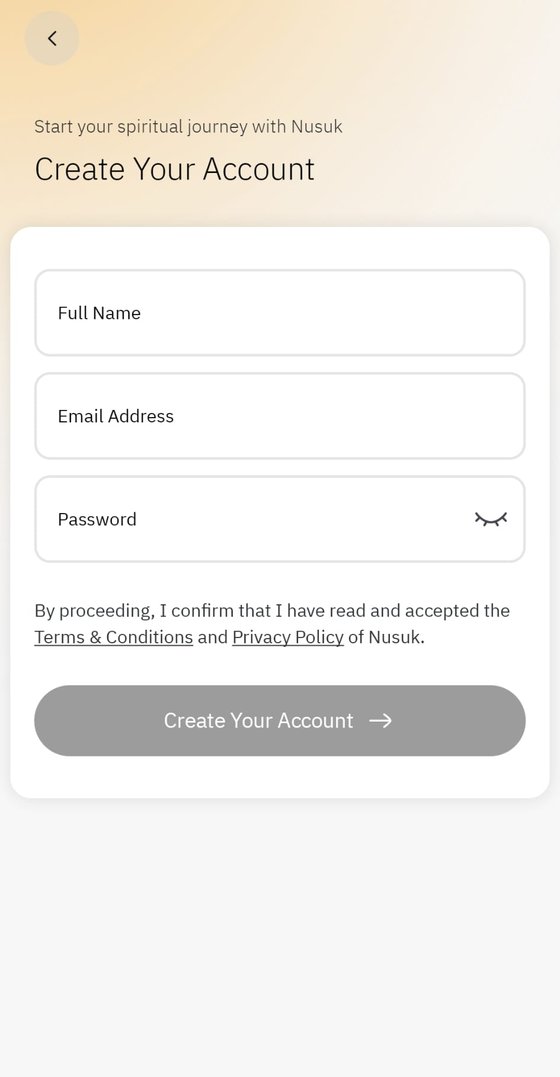
Add your new email and password.
#


You are then logged in against the same account, with the same bookings on it, under credentials you own.
If it does not work
Check the passport number character by character against the document rather than from memory. Letters and digits that look alike — 0 and O, 1 and I — are where this fails.
Check that you are using the visa number and not the application or reference number. They are different fields and only one of them is on the record.
"All International Visitors" is the right branch for anyone travelling on an Umrah visa, even where another option looks like a closer description of your situation.
If recovery still cannot find the account, the account may have been registered against a different passport — a renewed one, for instance. In that case the party that created it is the only one who can tell you which.
For agencies handing an account back
If you run an agency and you are returning an account to a pilgrim, recovery is what the pilgrim does at their end after you release it. Nothing is cancelled: the appointment stays exactly as booked, and only the login changes hands.
RawdahPass shows these same nine steps inside the release dialog, with the Nusuk screenshots and a downloadable version to forward. The steps on this page and the steps in the product are the same list, kept in one place so they cannot disagree.
Download all nine steps as one image to forward

Frequently asked
Can I recover a Nusuk account without the original email address?
Yes. Recovery identifies the account by passport and visa number, not by email, which is the whole point of it. You do not need access to the old address or cooperation from whoever created the account.
Will recovering my Nusuk account cancel my Rawdah or Umrah booking?
No. Recovery changes the login on the account. Appointments already held on it are untouched.
My agency made my Nusuk account. Can I take it over?
Yes, through the same recovery flow, using your own passport and visa number. A reputable agency will tell you it is doing this rather than leave you to discover it.
Why can Nusuk not find my account during recovery?
Almost always a mistyped passport or visa number, or the application reference used in place of the visa number. Check both against the documents themselves. Failing that, the account may be registered to an older passport.